Take wg8 With You —
Play Anywhere in Bangladesh
The wg8 app puts cricket betting, live casino, slots, and crash games in your pocket. Free APK download — no app store needed. Deposit with bKash or Nagad and get going in minutes.
- SSL Secure
- 18+ Only
- 24/7 Chat
- Free APK
Scan to download wg8.apk on your Android phone
What the wg8 App Gives You
Six reasons why thousands of players in Bangladesh prefer the app over the browser version.
Faster Load Time
The wg8 app loads game lobbies and live dealer tables noticeably faster than a mobile browser. Cached assets mean less waiting even on slower connections, so you spend more time playing and less time staring at a spinner.
Push Notifications
Opt in to get notified about reload bonuses, cricket match start times, and your withdrawal status the moment it changes. You will not miss a promotion just because you were not browsing the site at the right moment.
One-Tap bKash & Nagad
Deposit with bKash, Nagad, Rocket, or Upay directly from the app cashier. Deposits arrive within 5 minutes. The minimum deposit is ৳500, and you never have to copy an account number from a separate window.
Cricket & Sports Betting
Live odds for BPL, IPL, T20, ODI, and football leagues are updated in real time on the app. Place a bet while watching the match on TV without needing to open a browser tab. Swipe between markets in seconds.
Full Game Library
All 2,000+ games from providers like Evolution, Pragmatic Play, Spribe, CQ9, and JDB are accessible from the app. Slots, fishing games, crash games, and live tables — the same full lobby as the desktop site.
Landscape & Portrait Modes
Rotate your phone and the app automatically switches to landscape layout for live casino and crash games, giving you a wider view of the action. Portrait mode keeps the bet slip and navigation within thumb reach.
Installing the wg8 APK on Android
Android does not block the wg8 APK — you just need to allow installs from sources outside the Play Store. Follow these five steps exactly.
Allow Unknown Sources
Go to Settings → Security (some phones call it Privacy or Install Unknown Apps). Find your browser or file manager in the list and toggle Allow from this source to ON. You can turn this back off after installation for extra safety.
Download the APK
Tap the Download APK button on this page. Your browser will save wg8.apk (58 MB) to your Downloads folder. Keep the screen on until the download bar reaches 100% — interrupting the download may corrupt the file.
Open the File
Pull down your notification shade and tap the completed download, or open your Files app and navigate to Downloads → wg8.apk. Android will show an install prompt. Tap Install and wait about 15–20 seconds for the process to finish.
Launch the App
Once installed, tap Open on the install confirmation screen or find the wg8 icon on your home screen. The app will run a brief first-launch sync to load the game lobby — this takes around 10 seconds on a standard connection.
Log In or Register
If you already have a wg8 account, enter your username and password on the login screen. New players can complete registration directly inside the app — it takes under two minutes. After logging in, head to the cashier to deposit and start playing.
App Version & System Requirements
All version details below come directly from the latest wg8 release. Do not install APK files from unofficial sites — they may be outdated or modified.
Download wg8.apk (58 MB)File: wg8.apk · Size: 58 MB · Free download
| Property | Detail |
|---|---|
| Version | 3.3.5 |
| File Name | wg8.apk |
| File Size | 58 MB |
| Minimum Android | Android 7.0 (Nougat) or higher |
| iOS Support | Add to Home Screen via Safari (PWA) |
| Languages | English / Bangla |
| Last Updated | 3 November 2026 |
| Price | FREE |
| Platform | Android APK (direct download) |
| Internet Required | Yes — mobile data or Wi-Fi |
wg8 App vs Web Browser
Both the app and the browser version give you access to the full game library and cashier. Here is where they differ in day-to-day use.
| Feature | wg8 App (APK) | Mobile Browser |
|---|---|---|
| Game load speed | Faster — assets cached locally | Standard — fetched each time |
| Push notifications | Yes | No |
| One-tap bKash / Nagad | Integrated cashier | Opens a new browser tab |
| Landscape mode for live casino | Auto-rotate | Depends on browser settings |
| Offline lobby preview | Cached lobby visible | Requires connection |
| Battery usage | Slightly higher during live games | Similar |
| Installation required | Yes — one-time 58 MB download | None |
| iOS compatible | PWA via Safari (Add to Home Screen) | Full access |
| Update method | Download new APK from this page | Always latest version automatically |
| Full game library (2,000+) | Yes | Yes |
| Bonuses & promotions | Full access | Full access |
Games Waiting for You on the App
The wg8 app carries the full 2,000-game lobby. Below are a few titles you will find right after logging in, spanning slots, fishing games, and more.

Caishen Fishing
RTP 97.6%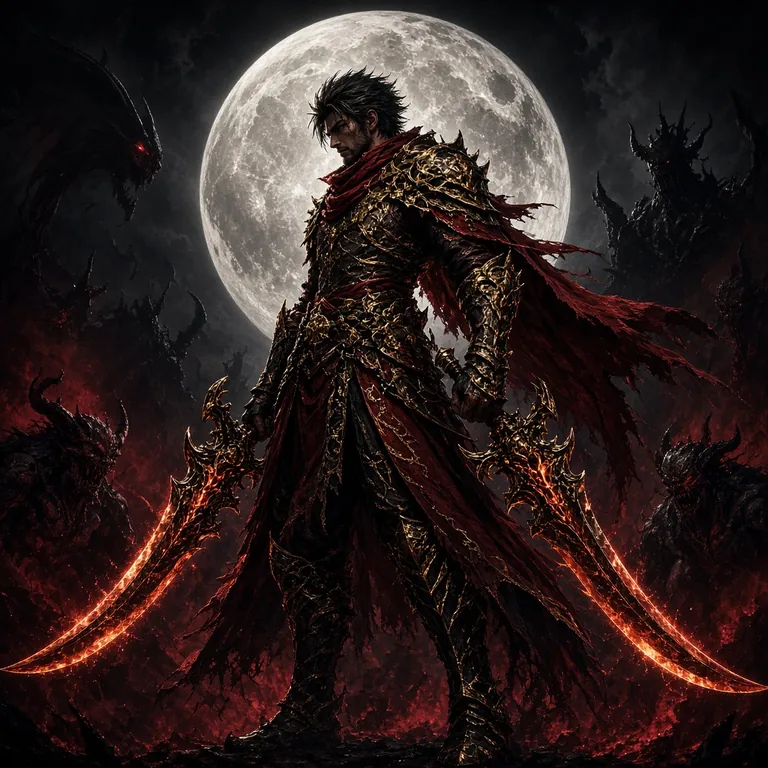
Demon Hunter
RTP 95.1%Drill That Gold
RTP 97.3%Boom Legend
RTP 97.8%Monkey King Fishing
RTP 97.7%Mines Gold
RTP 96.4%Treasures of Aztec
RTP 96.7%Bird Catcher
RTP 95.5%All games shown above are available inside the wg8 app. Visit the wg8 Casino page for the full game breakdown.
Security & App Permissions
The wg8 app requests only the permissions it needs to work. Here is exactly what it accesses and why.
SSL Encryption on All Traffic
Every data packet between your phone and the wg8 servers is encrypted with 256-bit SSL. This covers your login credentials, deposit requests, and game results. You will see a padlock icon in the app's built-in webview confirming the connection is secure at all times.
Internet Access (Required)
The app needs network access to load live odds, stream dealer tables, and process payments. It will request permission to use both Wi-Fi and mobile data (4G/LTE). The app does not use your data in the background when you are not actively using it.
Notifications (Optional)
Push notifications for bonus alerts and withdrawal updates are optional. You will see a permission prompt on first launch — you can deny it and still use every feature. You can also manage notification preferences at any time under App Settings → Notifications inside the wg8 app.
Storage Access (Install Only)
Android requires temporary storage access during APK installation to write the app files. After installation, the app does not read or write to your photo gallery, contacts, or documents. It only caches game assets in its own private app storage folder to speed up load times.
Common Installation Problems & Fixes
If the APK does not install or the app will not open, check the table below before contacting support. Most issues are fixed in under two minutes.
| Problem | Likely Cause | Solution |
|---|---|---|
| "Install Blocked" or "Not Allowed" | Unknown sources option is not enabled for your browser or file manager | Go to Settings → Security → Install Unknown Apps, select your browser (e.g. Chrome), and enable Allow from this source. Then try the install again. |
| "Package Appears Damaged" | The APK file was corrupted during download — this happens on unstable connections | Delete the partially downloaded file from your Downloads folder. Reconnect to a stable Wi-Fi or 4G network and download wg8.apk again from this page. |
| App Opens to a Blank White Screen | The app's WebView component is outdated | Open the Google Play Store, search for Android System WebView, and tap Update. Restart the wg8 app after the update completes. This fixes the blank screen in over 90% of cases. |
| "Insufficient Storage" During Install | Your phone has less than 100 MB of free internal storage | Free up space by deleting unused apps or clearing cached data (Settings → Apps → [App] → Clear Cache). The wg8 app needs roughly 80 MB of free space to install and run comfortably. |
| Login Screen Shows "Connection Error" | Your mobile data or Wi-Fi network is blocking the connection | Try switching from Wi-Fi to mobile data (or vice versa). If the issue persists on both networks, try enabling a VPN. If you still cannot connect, contact support at [email protected] with your device model and Android version. |
iOS: Add wg8 to Your Home Screen
There is no separate iOS app store listing for wg8, but iPhone and iPad users can install the site as a Progressive Web App (PWA) — it feels almost identical to a native app.
-
1
Open Safari on your iPhone or iPad
The Add to Home Screen feature only works in Safari. Chrome and Firefox on iOS do not support this. Type wg8.bio into the Safari address bar and wait for the page to finish loading.
-
2
Tap the Share Icon
At the bottom of the Safari screen, tap the Share button — it looks like a square with an arrow pointing upward. On an iPad, the Share button is in the top-right corner of the browser toolbar.
-
3
Select "Add to Home Screen"
Scroll down the share sheet until you see Add to Home Screen and tap it. You can rename the shortcut or leave it as wg8. Tap Add in the top-right corner to confirm.
-
4
Quick Comparison
- Full game library access
- bKash & Nagad deposits
- Home screen icon & full-screen view
- Push notifications (iOS 16.4+)
- No separate APK file needed
- Works in Safari only (not Chrome/Firefox)
Frequently Asked Questions
Jump to a Question
How to Download & Install the wg8 App
Five steps from download to your first bet — takes under three minutes on any Android phone running 7.0 or above.
-
01
Download the APK
Tap Download APK on this page. Your browser will save wg8.apk (58 MB) directly to your phone — no app store account needed.
-
02
Allow Unknown Sources
Open Settings → Security → Install Unknown Apps and allow your browser or file manager to install APKs. You can turn this off again after installing.
-
03
Open the Downloaded File
Go to your Downloads folder and tap wg8.apk. Hit Install when Android prompts you. The app installs in about 20 seconds.
-
04
Create or Log In to Your Account
Open the wg8 app, tap Register if you are new, or Log In if you already have an account. Registration takes under two minutes.
-
05
Deposit with bKash or Nagad
Go to Cashier → Deposit, choose bKash, Nagad, Rocket, or Upay, and enter ৳500 or more. Funds arrive in your account within 5 minutes.
Minimum Android version: 7.0 (Nougat) or higher. App version 3.3.5, last updated 3 November 2026. If installation fails, see the Common Installation Problems section below.
Is the wg8 APK safe to install?
Yes — as long as you download from this page at wg8.bio/wg8-app/. Every APK release is scanned for malware and signed with a developer certificate before it is published here. The Google Play Protect warning you may see is a standard Android caution for all third-party APKs; it is not specific to wg8. Do not download the APK from any other website, as unofficial copies may be modified.
The installation failed — what should I do?
The two most common causes are a disabled "Unknown Sources" setting and a corrupted download. First, go to Settings → Security → Install Unknown Apps and make sure your browser is allowed to install apps. Then delete the APK file and re-download it on a stable network. If the problem continues, check the troubleshooting table above or contact 24/7 live chat support.
How do I update the wg8 app to the latest version?
The wg8 app does not update itself automatically. When a new version is released, a banner will appear inside the app with a direct download link. You can also return to this page and download the latest APK manually. Installing the new APK over the old one will not delete your account data or game history — just tap Install when prompted.
Do I need a separate account to use the app?
No. Your existing wg8 account works on the app, the mobile browser, and any desktop browser — it is one account across all platforms. If you are new to wg8, you can complete the full registration process inside the app itself. Just tap Register on the app's welcome screen and follow the steps.
Do I get a bonus for downloading and using the app?
The wg8 welcome bonus — 200% on your first deposit up to ৳15,000 — applies regardless of whether you register via the app or the website. Reload bonuses and daily cashback are also available to all players using the app. Check the Bonus & VIP page for the current promotions. The wagering requirement is 10× the bonus amount.
Can I deposit with bKash or Nagad directly inside the app?
Yes. Open the Cashier tab in the app and select bKash, Nagad, Rocket, Upay, or Bank Transfer. The minimum deposit is ৳500. Deposits via bKash and Nagad typically arrive in your wg8 wallet within 5 minutes. The app cashier works the same as the website version — same limits, same speed.
The app keeps crashing or freezing — how do I fix it?
Start by clearing the app's cache: go to Settings → Apps → wg8 → Clear Cache, then reopen the app. If crashes continue, check that your Android System WebView is up to date via the Play Store. If your phone runs Android 7.0 and has less than 2 GB of RAM, close all background apps before launching wg8 to free up memory. Persistent issues can be reported to [email protected].
Ready to Play? Download the wg8 App Now
Free APK, instant deposit with bKash or Nagad, and the full game library on your phone. It takes less than three minutes from download to your first bet.